Button Links
Clickable buttons which link to internal or external page addresses can be created from within the HTML text editor.
A button can emphasise an important link or call to action.
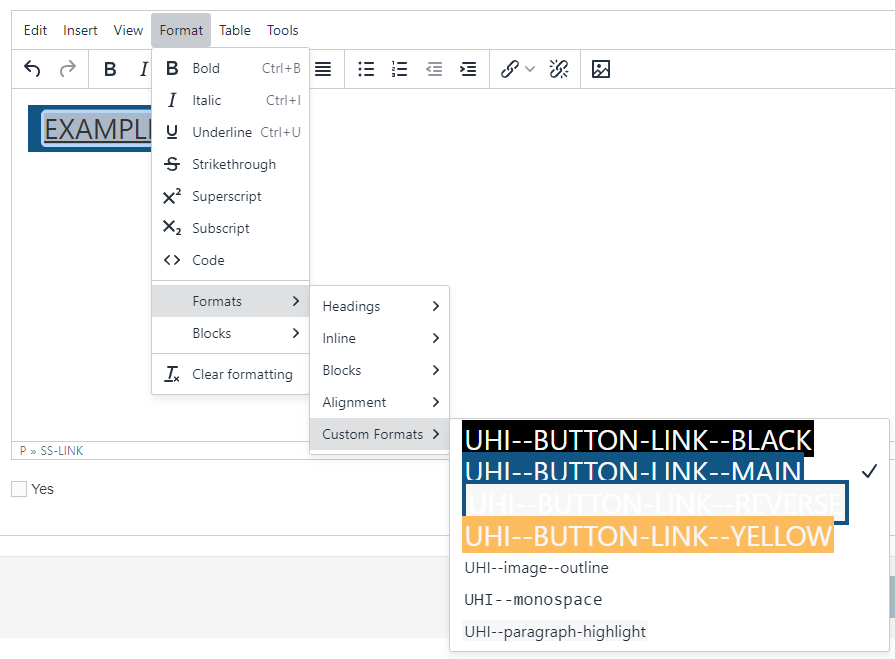
Buttons such as the examples here can created easily by:
- typing the text for the button on a new line in the text editor
- selecting the text and applying a UHI-button style from the Format > Formats > Custom Formats menu option
- re-selecting the text and using the link icon create an internal link or create an external link or email address
The most appropriate button type may depend on the context, if there is a coloured background for example.
Note: Only use this formatter on links, do not use it as a text highlight. This formatter tells a user that element is interactive so it should only ever be used on links.
Button examples on a white background (default).