Course Quote Images
Course Quote Images are of students, graduates and staff and are placed alongside their quotes on a particular course page.
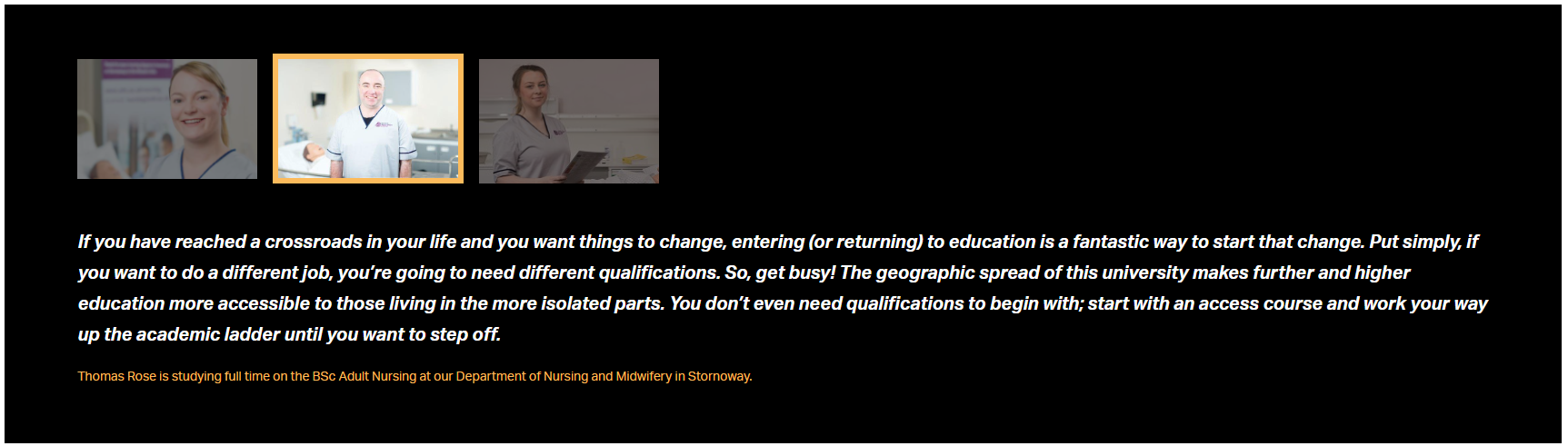
The text for each course quote is derived from a field in the SITS course database - not from T4.
Each quote entry in the database must be accompanied by a Quote Image in T4, to display correctly on the course page.
The image to accompany each quote is stored in the T4 Media Library - sets of images are linked to each course with a T4 content item.
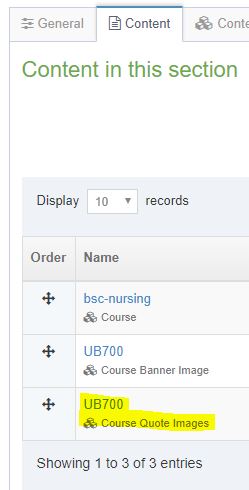
Inside a Course section
There will already be a content item of Content Type Course in each course section (e.g. bsc-nursing). The Course content item contains the course quote text. Do not edit the course content item, the data is automatically imported from the course database (SITS) and so must be edited at source there.
Ideally:
- Quote 1 (and the first image) should be from a Student
- Quote 2 (and the second image) should be from a Graduate
- Quote 3 (and the third image) should be from a Staff member
There may also be a content item of Type Course Banner Image, which sets the top banner images, or others within the course section.
Preparing quote images
Appropriate images should be sized and uploaded to the Media Library.
Following the guidance for Preparing Photos and Other Images - particularly Cropping and Resizing - create quote images at the following pixel size:
- at least 400 pixels wide
- 360 pixels high
The image files can be named with a course code (e.g. UB700-1.jpg, UB700-2.jpg etc.) even if they are to be used across multiple courses.
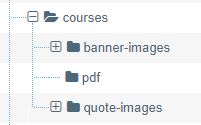
Images should be uploaded to the relevant quote-images Media Library directory.
Linking quote images to a course
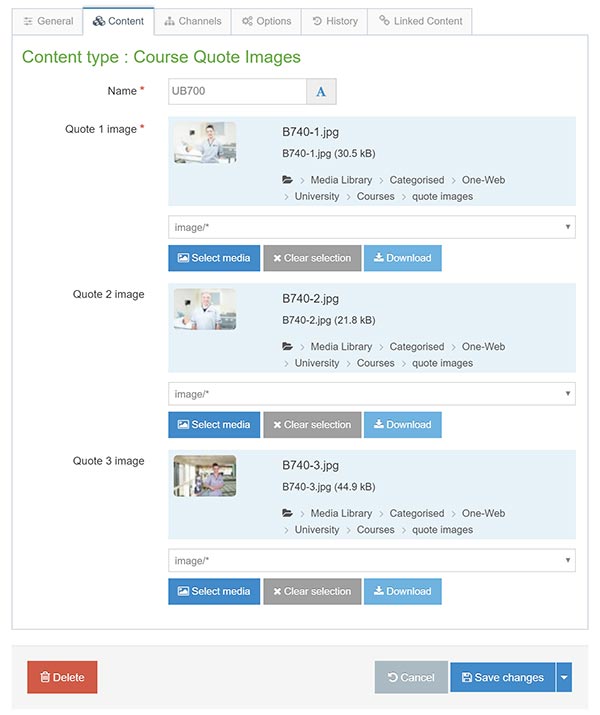
In the specific Section for the particular course, using the Create Content button, add a content item of Content Type Course Quote Images (or edit an existing one).
Name the content item to be the same as the course code (e.g. UB700)
Choose the appropriate image/s from those already prepared and uploaded to the Media Library. After the next Publish of the site, the clickable quote images should appear alongside their quotes on the Course page.
Note: Course quote images will not appear unless there is a corresponding course quote in SITS.