Course Fee Information
Course fee information is managed and administered within T4 within a specific course fee information area.
- A default fee message is displayed unless a fee profile is specified to be used on that course.
- Each partner site can have its own default text. To check or amend your default fees text, please contact webteam@uhi.ac.uk
Changes to course fees
If you would like to request changes to course fee information then you can contact one of the following:
- Changes to HE course fees: UHI Student Records Office
- Change to FE course fees: Marketing team of the partner delivering the course
Fees display on the Fees/Funding tab of course pages :
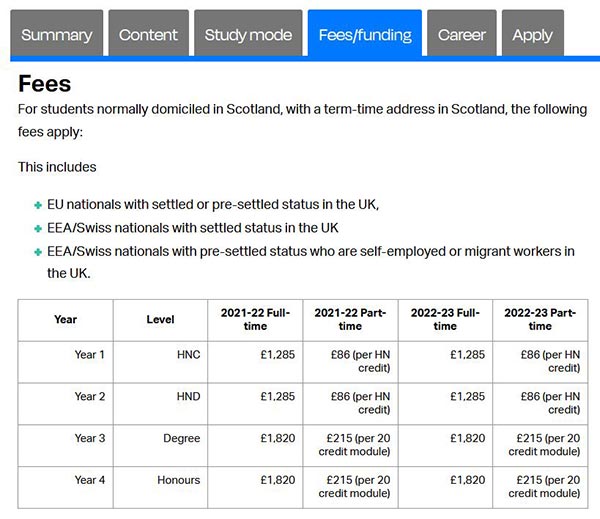
Setting fees
Both HE and FE fees are set the same way but only certain people have access to edit fees.
- The information is contained at the top of your site in the 'Site_Config' branch

- The 'Course Fee Information' content type is used. Mirrored content, denoted by the small black icon, is for HE fees.
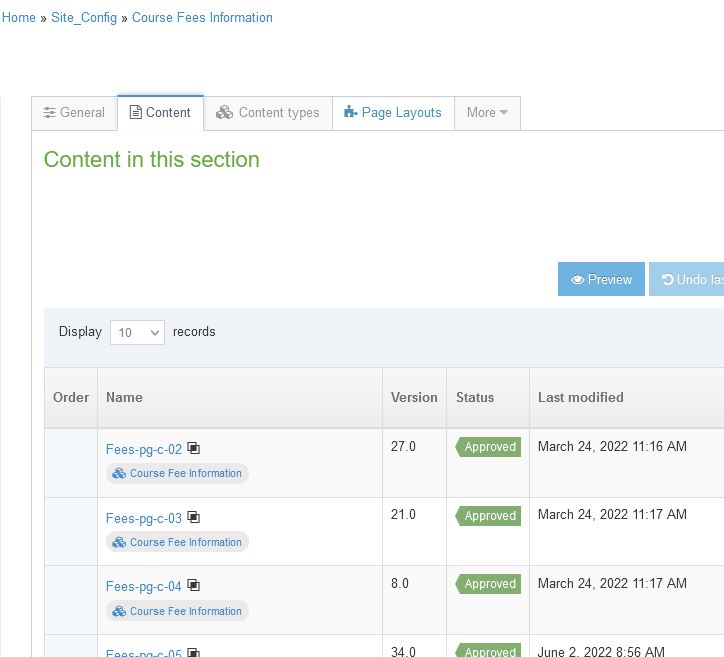
- To add fees for a course, add a new content item using the 'Course fee information' content item
- You can add fees for a given level of course, for a single course code or for multiple course codes.
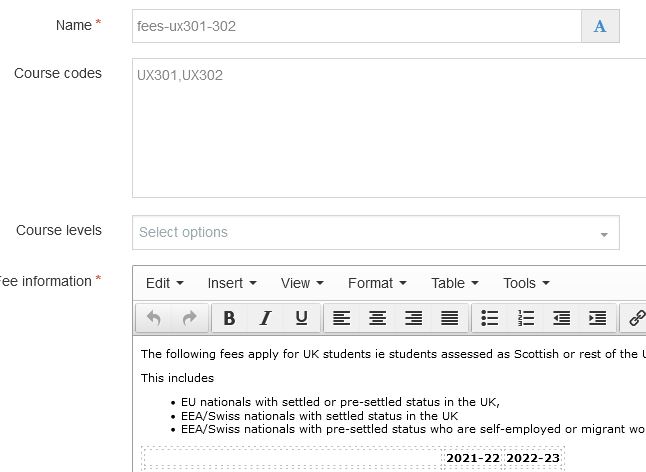
Add fees for a course code or codes
- Add a name for the content you are adding. As with other content items, this is for your reference only. We'd suggest 'fees-fe-coursecode' or similar
- Add the course code/s. If you are adding more than one code, these are comma separated
- Complete the fees information and save
- Preview the course page to see the fees in context
- Approve as normal
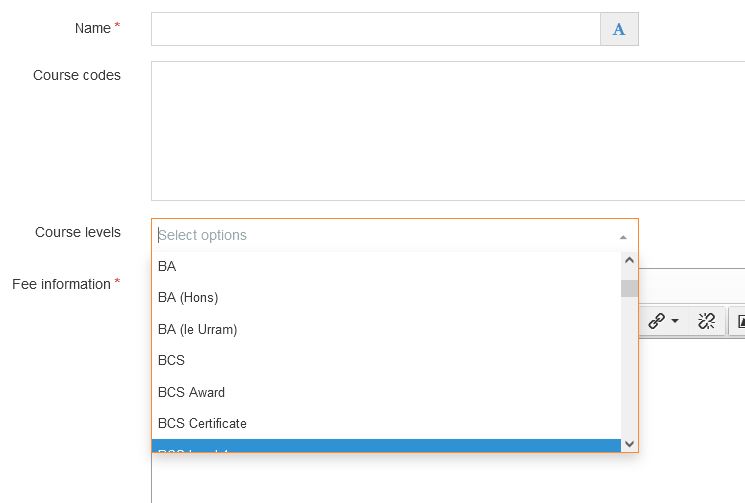
Add fees for a level of course
- Add a name for the content you are adding. As with other content items, this is for your reference only. We'd suggest 'fees-fe-courselevel' or similar
- Select the level of course you would like the fees to appear for from the dropdown list
- Complete the fees information and save
- Preview the course page to see the fees in context
- Approve as normal
If you cannot see the course fee information area you likely do not have access to edit course fees, request changes to course fees using one of the following contacts:
- Changes to HE course fees: UHI Student Records Office
- Change to FE course fees: Marketing team of the partner delivering the course