Content expiry and review dates
Publish date
Is currently not in use as it has been unreliable in the past. However we have had a system update recently and Webteam are testing the functionality of the field. Webteam will post any updates about this in the UHI T4 Users Teams area. Contact webteam@uhi.ac.uk if you have any questions.
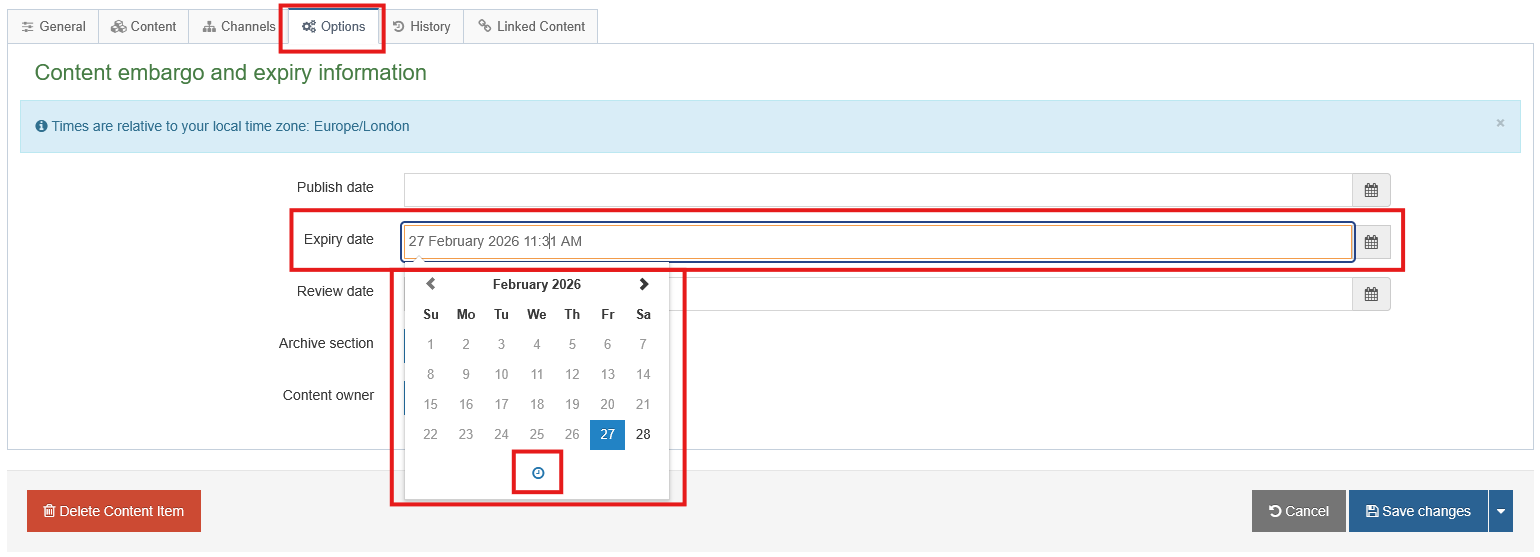
Expiry date
The date and time the Content Item will expire, after being Approved and published. After expiry, the status automatically changes from Approved to Approved/Expired and will not publish on the site, though it will remain editable for future use.
This is a handy way to hide content for a period of time (rather than remove it completely, which shows a status of Inactive). Just click into the blank Expiry date field to display the current date and time, and Save Changes for immediate expiry of the content item on next publish.
To restore an Approved/Expired Content Item edit the content item and either ensure the expiry field is blank or has a date and time in the future, then Save and approve your changes. Leave Expiry Date blank for content to remain published indefinitely.
It's recommended to set an Expiry Date on One-Web Event content items so that they are automatically removed from the website after the event has passed.
Archival
The 'Archive section' field is not working due to a software bug. Please do not use this feature.
Review date
The date and time to review the content. An email reminder is sent to the user who last modified the content, or to the Content Owner (if one was set).
This is a handy reminder to update a page on a certain date. Leave blank for no reminders to be sent.